Jim Rossman: What to do with your old hard drives?
Published in Science & Technology News
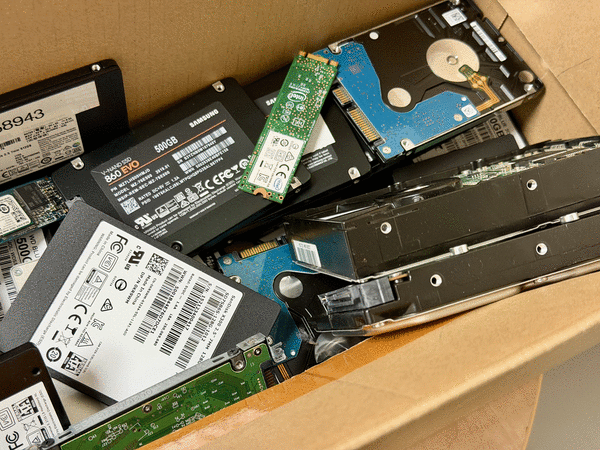
A few weeks back I wrote about removing your hard drive before you donate or recycle an old computer.
Occasionally, a reader will send me a follow up question about a column, but every once in a while, several people will write to me to point out a mistake or omission.
Today, I woke up to five emails from readers asking the same question: “What should they do with their hard drive after removal?” I also had one person ask why they needed to remove their drive at all.
The answer is simple for me – I don’t want my data to get into the wrong hands, plus I kind of like having all the old files still on a drive to access if I need to find something from years ago.
I have kept all the drives from all the computers my wife and I have used. You never know when getting an old file or photo off a drive might come in handy.
But if you have a good backup of your data and just want to be done with it, there are two options: either securely erase the drive or physically render the drive unusable.
You can use your new computer to securely erase your old computer’s hard drive. You’ll need to buy a USB adapter to connect your old drive to the new PC. Then you can use a disk-wiping utility to erase and/or overwrite every sector. DBAN is a free app that you can download to securely erase the drive.
Windows and MacOS both have built-in disk utilities that can also securely erase a drive.
Physical destruction is the surest method.
If it’s a spinning hard drive, drilling multiple holes in the platters will work, or you can open the drive with the right screwdriver and remove the platters and smash them with a hammer.
Actually, if you have a really big hammer, you can take out some aggression and smash the whole thing until you’re sure it is unusable.
Solid state drives have no spinning platters – they store data on memory chips that have have no moving parts. They pretty easily rendered useless with a hammer.
My advice would also include wearing eye protection if you’re using tools. Smashing plastic and metal parts with a big hammer is bound to cause some bits to fly around. Gloves are also a good idea, as there may be sharp edges when things break apart.
Finally, there are some electronic recyclers that have large shredders than can eat through hard drives. You can search for hard drive shredding in your area. Those shredders are not cheap, so don’t expect the service to be free.
____
©2026 Tribune Content Agency, LLC.






Comments